

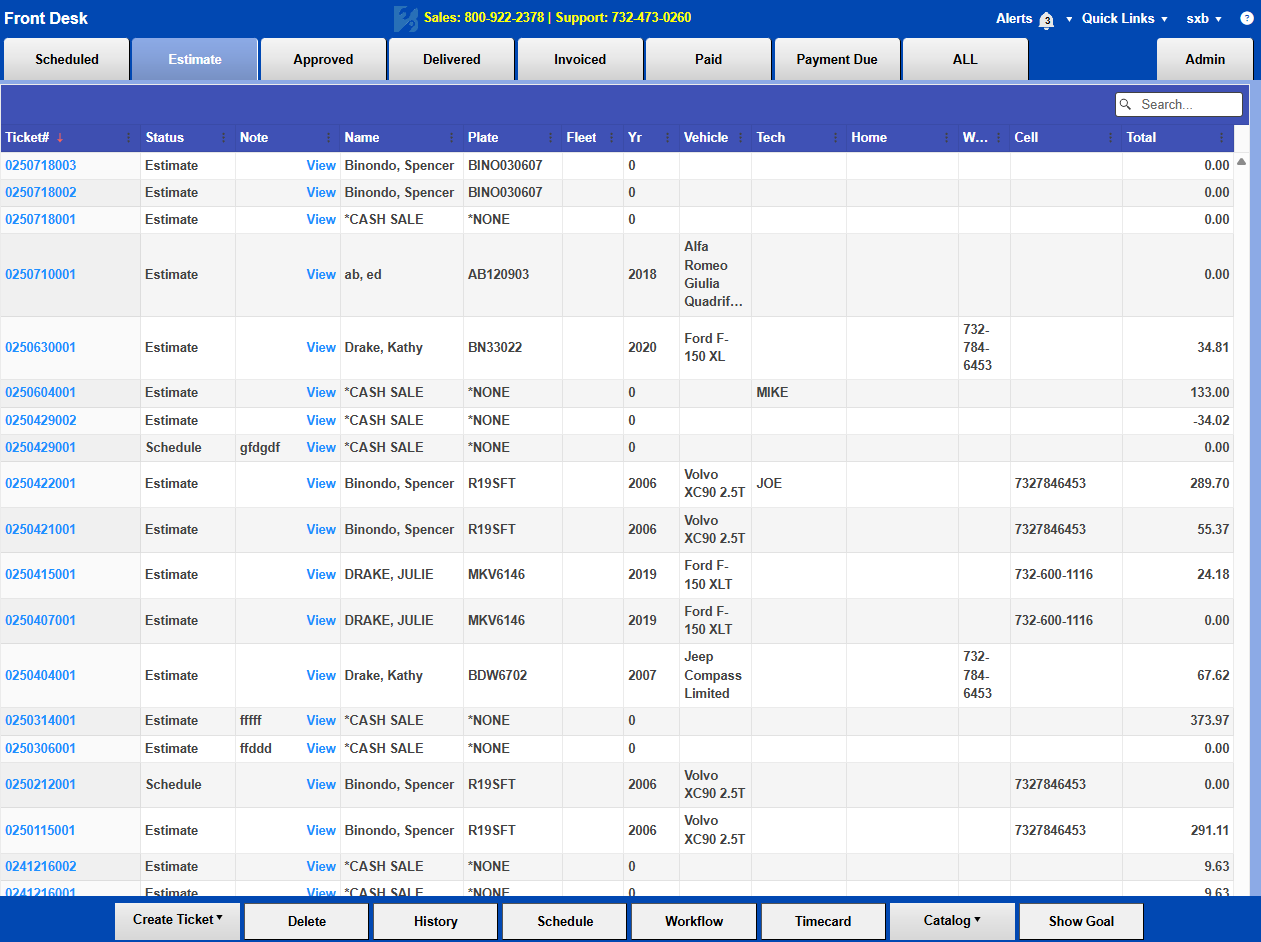
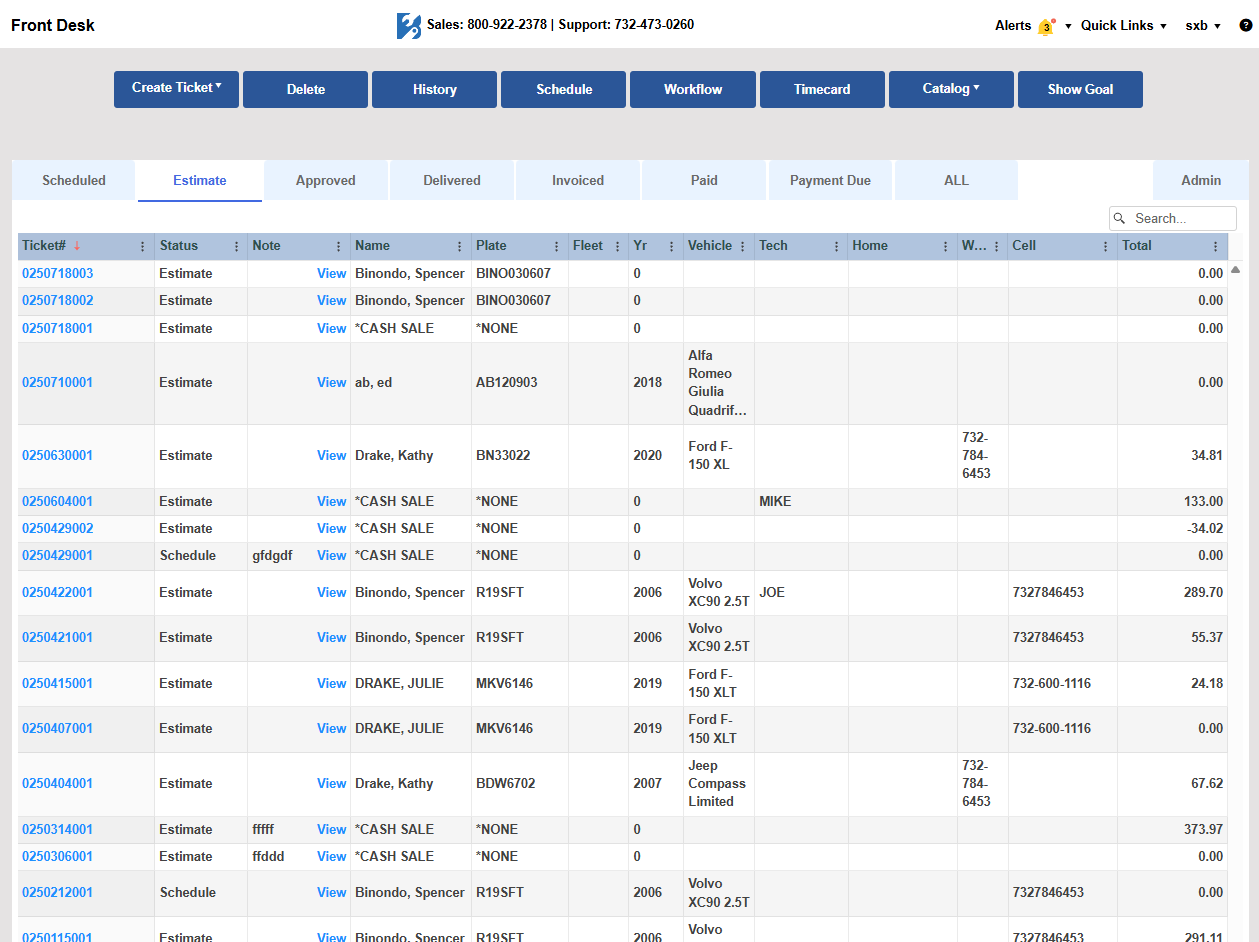
Have you checked out Bay-Master’s new interface? The new stylish design aims to give Bay-Master a modern feel. At the same time, we have moved buttons you use daily so that they’re easier to access. You can switch to the new interface now to follow along. Select the “Try New Interface” option in your Quick Links menu in Bay-Master to see for yourself.
The two biggest highlights are the changes to your Front Desk Menu and the Ticket Summary menu.

On the Front Desk, the menu you use to manage tickets, access your schedule, history, timecard, tech workflow, and sales goals for the day has moved to the top of the page. All of the things you click on the most are now all at the top of the page!
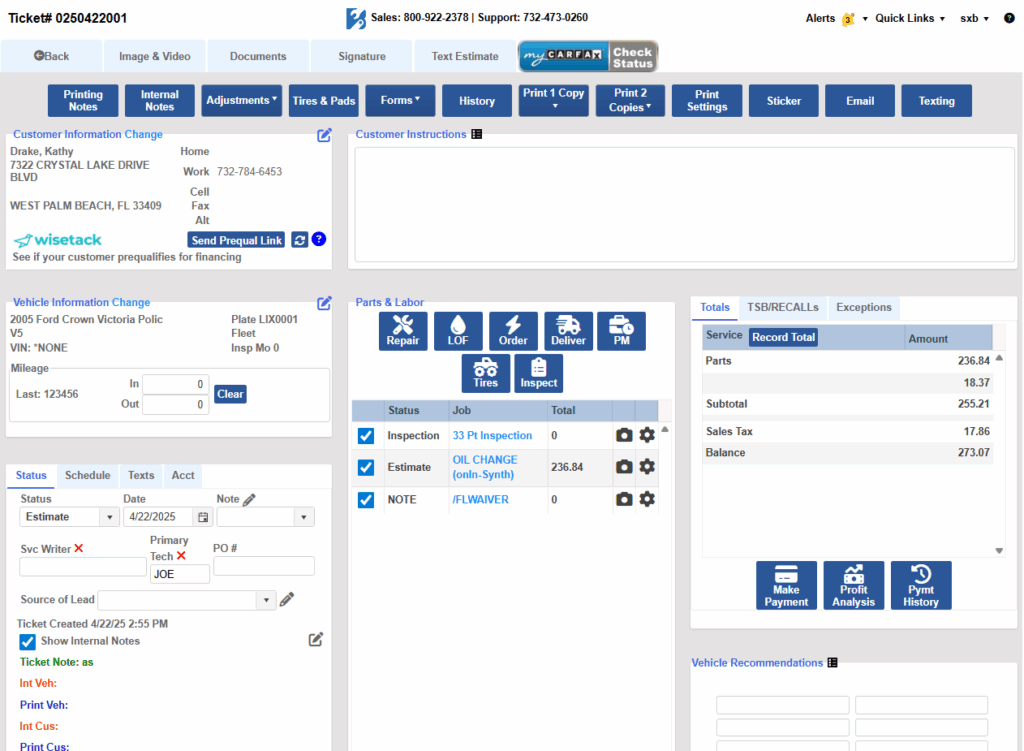
Next, you can see the ticket summary is the next biggest revamp. You’ll notice two major changes here. The first is that your ticket menu is now moved to the top of the page. Bay-Master gets bigger or smaller with your screen, so this change ensures your menu bar is always accessible regardless of your screen size.
Second, you can see that the ticket summary have shifted. Visually, this gives everything a nice even look. Functionally, we arranged it so that the main work areas, the Customer Instructions, Status tab, and Parts & Labor section now take up most of the screen.
Even beyond these two changes, Bay-Master’s new look gives all the pages you’re familiar with a welcome tune-up. If you want someone to walk through the new interface with you, give the support line a call anytime. One of our team members will take you on a personalized tour.
